

Showing posts with label learning. Show all posts
Showing posts with label learning. Show all posts
Tuesday, March 3, 2015
IMU LS 12 Social Media Mobile Technology Learning in a Digital Age Steve Wheeler
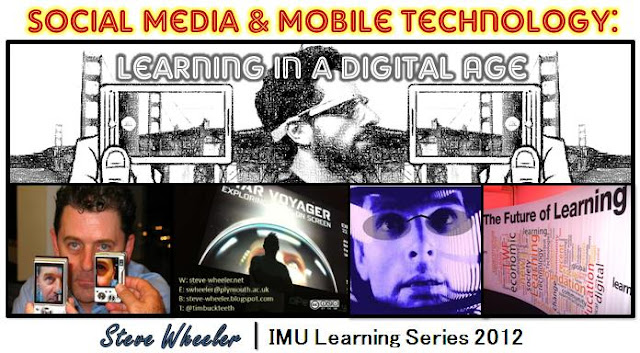
If you are interested to understand the power of social media and mobile devices to facilitate learning and teaching, I cant think of a more appropriate expert than Steve Wheeler to inspire us to the next level. Here we go!
Title : Social Media & Mobile Technology: Learning in a Digital Age
Date : 11th July, 2012
Time : 4:00 PM, Kuala Lumpur (Check time differences)
Venue : Online (WizIQ)
Description:
We are witnessing an exponential rise in the use of social media and mobile technology. We have recently seen widespread use of blogging and social networks, use of Twitter and social tagging, wikis and collaborative filtering, recommender systems. All of these and more, are impacting upon the world of education and training, and there is now a need for concerted research into the effectiveness of these applications. Coupled with the rise in use of mobile phones, handheld computing and the soon to arrive wearable computing and augmented reality tools, we are on the crest of a new wave of learning. Using examples from recent research this presentation will explore the new ways students are learning, and provide some examples of how education might adapt to these new trends.
Speaker:
Steve Wheeler is Associate Professor of Learning Technologies at Plymouth University, in South West England. Originally trained as a psychologist, he has spent his entire career working in media, technology and learning, predominantly in nurse education (NHS 1981-1995) and teacher education and training (1976-1981 and 1995-present). He is now in the Faculty of Health, Education and Society. A trained educator, he teaches on a number of undergraduate and post-graduate teacher education programmes. He specialises in research on e-learning and distance education, with particular emphasis on social media and Web 2.0 tools. He is regularly invited to speak about his work and has given keynotes and invited lectures to audiences in over 20 countries across 5 continents. He is currently involved in several research programmes related to e-learning, social media and handheld technologies. Steve is the author of more than 150 scholarly articles and is an active and prolific edublogger. His blog Learning with ‘e’s is a regular online commentary on the social and cultural impact of disruptive technologies, and the application of digital media in education and training...More.
RECORDING
UPCOMING WEBINARS?
CLICK HERE!Facebook for Learning at Unirazak!

On Wednesday (19/09/2012), I will be conducting (Insya-Allah) a lunch-time workshop (first of six) entitled Facebook for Learning at Universiti Tun Abdul Razak (Unirazak)!
If you didnt know, my e-learning adventure interestingly started at Universiti Tun Abdul Razak way back in 2001 (working as an Instructional Designer at its subsidiary company called United Multimedia). It is a long story, so I will cut it short by saying no more.
 |
| *Poster: Visualized by Dr. Dewi Binti Amat Sapuan |
WORKSHOP
Today, nearly one Billion people are using Facebook to connect, communicate and share. How can we use Facebook also for learning and teaching purposes? In this workshop, we will explore how we can use Facebook to facilitate learning and teaching.
LEARNING OUTCOMES
After this workshop, you will be able to:- Use Facebook to facilitate learning and teaching.
- Create Facebook Groups to engage students and conduct assignments.
- Create Facebook Pages to build learning communities.
- Facebook for Educators
- Facebook Groups
- Facebook Pages
- Facebook Group
- Facebook Page
SLIDES
Here are the presentation slides for the Facebook for Learning workshop: Facebook for Learning at Unirazak! from IMU (International Medical University)
Until you have tried it, you will never know! Try it out and have fun with it! If Facebook didnt work for you, try Edmodo :)
Monday, March 2, 2015
Open Learning Initiative OLI at Carnegie Mellon University
Link to site
"Through the OLI project, Carnegie Mellon is working to help the World Wide Web make good on its promise of widely accessible and effective online education. OLI grew out of collaboration among cognitive scientists, experts in human computer interaction and seasoned faculty who have both a deep expertise in their respective fields and a strong commitment to excellence in higher education. The project adds to online education the crucial elements of instructional design grounded in cognitive theory, formative evaluation for students and faculty, and iterative course improvement based on empirical evidence.
Innovative Components OLI courses include a number of innovative online instructional components such as:
- cognitive tutors
- virtual laboratories
- group experiments
- simulations
A primary objective of the project is to build a community of use for the courses that will play an important role in ongoing course development and improvement.
OLI should have a profound impact on higher education by increasing access to education, enhancing the quality of instruction and providing a model for a new generation of online courses and course materials that teach more effectively and appeal to students more powerfully than anything in existence today. Reviewers Note: Try some of the sample courses. This initiative is excellent ! We should have similar initiatives in Malaysia and Asia. Also, read the Carnegie Mellon Open Learning Initiative Evaluation Studies and course features, which gives examples of how OLI course components support successful learning. Especially, instructional designers and content authors will benefit tremendously from visiting this site. Actually, anyone involved with online education will benefit from exploring this site.
Learning Innovation Talks 01 ROCKED!

Title : Learning Innovation Talks (LIT)
Date : 7 March 2012
Time : 8.30 am - 5.30 pm
Venue : Level 3, Wisma R&D, University of Malaya
CONGRATULATIONS!
LIT was simply AWESOME in so many ways! CONGRATULATIONS and a BIG BIG BIG THANK YOU (AND HUG!) TO EVERYONE involved.
MY TALK
Can we use Twitter to enhance teaching and learning? My talk explored how we can use Twitter before, during and after classroom learning to engage and inspire students to reflect, discuss, collaborate and learn. Here are the slides:
Using Twitter to Transform Classroom Learning
View more PowerPoint from Zaid Alsagoff
Believe it or not, the MC (Samir Harith) for the LIT seminar WON the Twitter Challenge (during my talk)...

Prof. Karim, no hard feelings, alright (Just some fun!) :)
LIT TALKS RECORDING
All the LIT talks were video recorded and here is a Mambo-Jumbo 3:28:14 Hour recording (all-in-one):
Jump 1:07 Hour to view my LIT talk! The video recording includes the following LIT Talks:
- Learning in a World that is Open
Presenter : Prof Dr Zoraini Wati Abas (OUM) - iPad and Flipped Classroom
Presenter : Prof Dr Abd Karim Alias (USM) - Using Twitter to Transform Classroom Learning
Presenter: Zaid Ali Alsagoff (IMU) - Using Classroom Presenter on Windows-based Tablets for Teaching & Learning
Presenter : Dr Abdul Halim Sulaiman (UM) - How to Design and Use Prezi Like a Pro
Presenter: Mohd Hafiz Md Hanif (UPSI) - I Annotate, You Annotate
Presenter: Norhayati Maskat (Taylor’s College) - Picture Link: Good Presentations Made Better
Presenter : George Easton Hanna (Taylor’s College) - Beyond Present Schools : MUVilLE (Malaysian multi-User Virtual Learning Environments
Mimma Sayuti Khalid (MOE/UM)
FORUM : LIT FORWARD
Here is the video recording of the panel discussion:
Prof. Dr. Raja Maznah Raja Hussain, Prof Dr Zoraini Wati Abas, Prof Dr Abd Karim Alias, Zaid Ali Alsagoff, and Norhayati Maskat rocked the house!
It is amazing that the whole LIT idea was conceptualized and planned mostly online using Facebook. Anything is possible! One thing is for sure: LIT Rocked!
12 Steps to Successful E Learning By George Eybers
Click here to view full article
"Introducing the concept of life-long learning is a massive undertaking for most organisations. It needs a major shift in culture, requiring commitment, careful implementation and ongoing support to be successful. George Eybers, chairman of Skills2learn, says there are 12 basic steps to ensuring the success of an e-learning implementation."
- Secure upper and middle management commitment, support and active participation.
Form a team of people that represents the whole company. - Install and test software components of the e-learning programme (LMS, EIS, and courseware library).
- Employee information (in LMS/EIS) establishes the backbone of the e-learning process management system.
- Establish internal e-learning experts in each department.
- The CEO should outline the strategic objectives behind the training programme during the launch.
- The implementation team must work with department managers to develop local level plans and timetables.
- Specific e-learning personnel appraisal objectives are developed and formalised with each employee.
- Incentive programmes are developed and publicised to all employees.
Ongoing monitoring of EIS and LMS information. - Employee feedback.
- Management - monitors system key variables (from LMS/EIS) and takes action where indicated to ensure there is ongoing progress.
"Any organisation that follows these 12 steps to a blended learning implementation will increase its return on investment, and realise an edge over its competitors through the improved skills of its staff."
Launching the L2T3SEA Learning Framework at eLi3!

The L2T3SEA learning framework will (Insya-Allah) be presented during the Panel Discussion at 4.20 pm on 6 February (Wed) at the the Third International Conference of e-Learning and Distance Education (eLi13) in Saudi Arabia.
NEW LEARNING FRAMEWORK?
Here are the slides to discover more: L2T3SEA Learning Framework at #eLi3 from Zaid Alsagoff
REFLECTION
At the moment this learning framework exploring how we can use technology to transform learning is too fluid to crystallize it into a detailed explanation. It was only conceptualized a few weeks back, and is continuously evolving as I interact with awesome people like yourself.
So, this is just the start (Insya-Allah) for a learning framework that can really empower and inspire you to transform learning :)
e Learning 2 0 Workshop Stephen Downes
- Link to Stephen Downes Homepage
- All His Papers
- All His Presentation Slides + KL Workshop Slides
- Blogs - OLDaily & Half an Hour

Web 1.0 = Read
Web 2.0 = Read -Write
Web 3.0 = Read -Write - Research
Web 4.0 = Read -Write - Research - Rambo!
 At last I got to meet Stephen Downes in person and attend one of his workshops. Better yet, due to a secret arrangement (Not telling!) I got to become his personal bodyguard (I mean assistant) during this 2-day workshop in Kuala Lumpur (14th - 15th January). You can see me on the picture happily holding tightly to the handheld laser gun (I mean camera!).
In this e-Learning 2.0 workshop facilitated by Stephen (who actually entitled it Web 2.0 in Learning), participants explored a full range of web 2.0 tools, and discussed (including group activities) how these tools could facilitate more effective communication, collaboration and learning. The intention was to explore the underlying technologies and to develop a sense of what to expect in the future. NEW DISCOVERIES?
The thing about attending workshops facilitated by people like Stephen is that you can be sure of discovering a lot of new learning stuff on the way. Here are new learning tools and sites that I discovered during this great workshop:
- Gliffy - A free web-based diagram editor.
- Zoho - Offers a suite of online web applications geared towards increasing your productivity and offering easy collaboration.
- LiveJournal - A free service for your journaling and blogging.
- Bebo - Allows users to share photos with music, and blogs, and draw on members White Boards.
- Pixer - Lets you manipulate, edit, enhance and apply filters to your digital pictures using only your web browser.
- Ustream.tv - You can broadcast your own live video show for free. You only need a computer device, camera and solid Internet connection. Not bad!
- Worldbridges - A community of communities that use homegrown webcasting and other new media technologies to help people connect, learn, & collaborate.
- EdTechTalk - A community of educators interested in discussing and learning about the uses of educational technology. They webcast several live shows each week.
In addition, we discussed many other web 2.0 learning tools such Ning (Social Networking), Second Life ( 3D virtual world) and Wikispaces, which I have already explored, but are worth mentioning here (Check out the slides to discover the rest!).
Not only did we discover new tools from Stephen, he also discovered a few new learning tools from us, including:
- WiZiQ - Free Hosted Virtual Classroom platform.
- CamStudio - Free Screen Recording Software.
- eSnips - Get 5GB of free space to upload and share your files, photos, videos and music.
In other words, no matter how brilliant we are, we can always learn and discover stuff from others. Therefore, I would argue that Stephen Downes is brilliant, because he knows this and practices it all the time (Any logic here!).
However, of all the things I discovered, learned and explored during the workshop, I personally found the reading resources shared the most valuable to my learning mind. I suppose it is easier to find a new tool or site (at least for me!), than discover a great article or paper among millions. Anyway, here is a list of a few of those relevant and mind enriching writings, which Stephen recommended us to explore further (Check out the slides to discover the rest! 2nd time!):
- The Cluetrain Manifesto - Markets are about conversations (an e-Book by several authors). If you are lazy, at least read the 95 theses to get some idea.
- E-Learning 2.0 - (Stephen Downes)
- What is Web 2.0 - The web as platform. Design patterns and business models for the next generation of software (Tim OReilly).
- Educational Blogging - (Stephen Downes)
- How to Be Heard - (Stephen Downes)
- The Long Tail - Why the future of business is selling less of more (Clay Shirky/Chris Anderson).
- MySpace is My Identity Space - (Danah Boyd)
- Wisdom of Crowds - (James Surowiecki)
And the juicy list of excellent reading resources (especially about blogging and social networks) goes on and on (Check out the slides to discover the rest! 3rd time lucky!). As I had not read many of these recommended reading resources before, it was a thrill to discover them.
LESSONS LEARNEDSince, I was his personal assistant and camera man during the 2-day workshop, I really got to zoom in on Stephen Downes and discover more about him (I am not sure if the video recordings I took are up to mark, though! First time!). I suppose I can go on here (until the break of dawn!), writing about all the things I observed and learned from him, but I will only highlight a few important lessons I learned here, which we all can take note and actually do something about.
Even Stephen Downes does not know everything about e-learning, and he does not see that as a weakness either (opportunity to learn more!). Instead, he gets excited when someone in the crowd knows something he doesnt (a challenge, too!), and wants to learn about it straight away. Since we have a computer and Internet connection, lets explore the possibilities together using Google, right now (Why wait!).
In other words, it is alright to say I dont know, when a participant or student asks a question, which we dont know the answer to. If no one participating in the session knows, we can always explore it together using Google, or whatever search tool we find relevant for the task (or get back to the question later, when we have an answer). If we take that kind of attitude and approach into our learning environments, we will not fear questions (essence of creative and critical thinking!), and students will eventually not fear to ask questions (mind of inquiry). Both the educators and student will benefit! You will learn more (about the content, students and yourself!), and students will not only learn more, but be more active in the learning process, taking responsibility and improving their ability to ask questions. Even before we discover a problem, or conceptualize a great idea (which might lead to an invention or innovation), we need to ask questions (Zooming in on the right or AHA ones!). Questions might seem like a threat first, but if you learn how to love them, and deal with them head-on, the rest is a ball :)
In terms of conducting a workshop (lecture, tutorial, etc.), I learned that you must always be able to quickly adapt the sessions (or classes) to the learning expectations and needs of the participants, and be able to revise and reform your workshop activities on-the-fly to ensure a more effective and relevant learning experience. Sometimes, participants might not even know what they really want, but you still have to explore through relevant questions early on, and by using your emotional, observational, and analytical intelligence (e.g. What do you know about____? What are your past experiences with ____? What do you want to learn? ) . Even if you fail to satisfy their learning expectations and needs, they will most likely appreciate your efforts to tailor and customize the learning event. I suppose the main challenge will be to meet all the participants learning expectations and needs. But that is a challenge we have to deal with, if we want to be an effective educator. And by using web 2.0 technologies like blogs, wikis, social networking sites, virtual worlds, etc. appropriately, and getting participants involved in creating, remixing, mashing-up and sharing knowledge, we are probably moving forward.
In short, we need to get everyone involved in exploring, discovering, learning, doing, reflecting, creating, and sharing knowledge and ideas. By doing so, we are nurturing their ability to learn (how to learn!). If you are able to spark, participants or students will take care of the rest.
FUTURE LEARNING DIRECTIONS?
Stephen identifies five (5) main future directions of learning (and e-learning) in his slides. I have added some of my thoughts to these five directions.
Stephen identifies five (5) main future directions of learning (and e-learning) in his slides. I have added some of my thoughts to these five directions.
- Learning as Creation - We increasingly learn by creating/remixing knowledge, products and services during the learning process (not only consuming), with the assistance of increasingly more powerful and user-friendly learning tools.
- Social Learning - We learn by interacting with others locally and around the world, which is increasingly being enabled more efficiently and effectively with the assistance of technology (Global Collective Intelligence). Imagine participating in global learning communities and getting access to some of the greatest minds on this planet with just a few clicks. Here I am talking to Jay Cross, Jane Knight, Joseph Hart, Stephen Downes and Clayton Wright on Skype. The only cost is basically our time.
- Personal Learning Environment - People will increasingly be able to construct their own customized and convenient learning spaces, which integrates all their informal and formal learning tools. In other words, we might soon say goodbye to LMS, LCMS, portals, etc., sooner than we realize. They will probably exist, but we will hardly visit them, and mostly read their news feeds from our all-to-one learning dashboards. One User ID and Password! One Learning Space! Tons of Learning Tools! All are communicating with one another! We can get all our relevant updates from one learning space, and we can update all our learning tools with one update (Create once, publish many). WOW! That is cool!
- Immersive Learning - Augmented reality and 3D virtual worlds with fully immersive tools enabling every sense of our body to engage in the learning process. It also reflects that we will increasingly be able to construct cost-effective simulated learning environments that are close to the real thing. We are able to do and practice things in safe virtual learning environments that we could only dream about in the past (e.g. manage Google, build spaceships, teleport to Mars, discuss global warming with Al Gore, and engage in past civilizations). In short, we can stimulate all our senses to fully immerse ourselves in safe virtual learning environments that are similar, or close replications of the real ones. Practice without getting physically hurt (though, we might get a bit of mental stress!).
- The Living Arts (Things You Really Need to Learn) - We dont follow strictly the requirements and needs of PhD, Masters, Bachelor and Diploma programs, programs are instead tailored to our relevant learning needs, and we are empowered to construct our own learning opportunities and environments that enable and motivate us to find and fulfill our learning potential. Why learn something that we never use, or want to know?
 In addition to learning a lot of stuff from Stephen, I learned a lot from more than 40 participants both from the corporate and the education (mostly Higher Education) sectors in Malaysia (picture below). Interestingly, we are also planning to start an official e-Learning community (whereby we physically meet on regular occasions) in Malaysia, and if you are interested to find out more about that, please join or visit our new Malaysian e-Learning Community in Facebook (you need a Facebook account to join).
Finally, I would like to thank FIK International for organizing a great workshop.
Oh, I forgot (this post is getting long!)! You might be wondering why Stephen and the Myau picture. Well, during the first day of the workshop we all suddenly heard the sound of cat (Myau), and Stephen probably thought he was going a bit nutty, or the jet lag was really getting to him (which it was, I suppose!). However, it was only a ringtone to one of the participants, and we all had a great laugh! So, the picture is in memory of this funny informal learning incident. Myau!!!
In conclusion, I am glad that I attended the workshop (and became Stephens workshop assistant), and got to know Stephen better. These are the kind of learning experiences that spark our motivation to learn and explore more. Yeah, now I am also a certified e-Learning 2.0 specialist (by attendance). If you are interested to learn more, please give me a buzz :)

Sunday, March 1, 2015
Using e Learning To Facilitate 21st Century Learning
- Slideshare version
- Thinking Back to The Future

MY TALK
I was invited by the Ministry of Health (Training Division) to give a two hour lecture during a 2-day Tutor Seminar at the Hotel City Bayview, Penang. There were 165 participants (17 males only!). This seminars theme was TRAINING EXCELLENCE, and it explored e-learning, student assessment, self-assessment, self-motivation, lateral thinking and emotional intelligence over two (2) days.
My 2-hour talk explored learning and how we can use web 2.0 learning tools and Open Educational Resources (OER) to transform the way we learn. Finally, it reflected some of the challenges that we will probably face as we embark on this 21st century learning adventure.
Here are the slides:
My 2-hour talk explored learning and how we can use web 2.0 learning tools and Open Educational Resources (OER) to transform the way we learn. Finally, it reflected some of the challenges that we will probably face as we embark on this 21st century learning adventure.
Here are the slides:
Using e-Learning To Facilitate 21st Century Learning
View more documents from zaid.
SELF-ASSESSMENT
The moment of truth had arrived after my lecturing nightmares in 2008. This was my first lecture of the year to more than a 100 participants. Was I ready? Or would I crash, and procrastinate into total self-destruction?
Interestingly, I was invited again by the Ministry of Health (Training Division), after putting so many tutors to sleep during my previous lecture. I suppose they might have found something valuable from it. Otherwise, why would they have invited me back again? Maybe my negative imagination during that sad period had misled me to believe that it was much worse than it really was. Sometimes setting too high expectations can kill our joy to enjoy the process of learning and mastering. Nothing can be mastered over night! Ask Tiger Woods, and he will tell you?
So, lets start with the presentation slides? 108 slides (54 slides per hour), including four inspiring short videos (adding up to around 25 minutes) over a two-hour period. There are several more excellent short videos in the slides, which I ignored during the talk due to time constraints, but still worthwhile sharing for participants to explore after the talk.
Since, I was going to talk about e-learning, I was of course reluctant to give them print-outs to prove a point. So, I uploaded the slides to Slideshare the night before my talk for them to access during and after the seminar. Interestingly, I believe this is the first time in my life that I have actually been really satisfied with my presentation slides. Although, I missed out on a few resources and tools I wanted to share, and a few messy slides, I felt good about them. That was at least a good start.
My positive feelings were probably picked up by the Slideshare team, which within 24 hours featured the presentation slides on Slideshares front page. Within 48 hours it had been viewed more than a 1000 times, and retweeted 20+ times. So, this indirect feedback from a global audience has surely helped me regain my confidence :)
But then again, it was not my slides that were a problem last time. Instead it was my actual delivery (lecture) that literally nearly procrastinated me into total self-destruction. So, how would it go this time around?
Strangely over the last few months in my recovery to rediscover myself, I have lowered my expectations, and started to enjoy life. Yes, I have even started swimming 2-3 times a week, built some muscle, and should be ready to challenge Michael Phelps in the next Olympics. London here I come!
After months of frustration, reflections and rejecting several offers to conduct talks and workshops in Malaysia and abroad, God (Allah to me! For Atheists, I have no idea!) sparked a small light that has literally changed my life (at least until now!). My little four year old son looked me in the eyes and said a few words of magic (Please, get better soon!), and from that day on, slowly and steadily an inner strength has increasingly touched every cell in my body.
So, how did the lecture go? No fear, no pressure, no high expectations, more muscle, more experience, more fun, and more Yes, I can! Al-Hamdulilla, I believe it went very well. Actually, I believe I nailed it (Simon are you reading!). At the moment I feel like an e-Learning Gladiator that can battle through all the destructive forces of negativity to inspire people to explore all the wonderful opportunities to learn beyond face-to-face learning (please explore the slides!).
Looking back, I should have video recorded it! But then again, I am not ready to become a Stephen Downes yet (recording and sharing to the world!). Give me a couple of years of messing up first, then perhaps! But at least you all can enjoy my presentation slides as I learn to master the art of lecturing.

MY WIFE, MY LOVE!
However, as I have been so obsessed during the last few months trying to rediscover myself and become an e-learning gladiator, I have neglected and not given the kind of love and time a marriage and family deserves. At the moment I am paying the price for it, and should stop writing right now, and instead win back the only woman that I have ever loved.
I LOVE YOU! PLEASE FORGIVE ME! I CANT IMAGINE LIVING WITHOUT YOU! PLEASE COME BACK!...
Update (15/7):
Al-Hamdulilla, My Love mission has been completed successfully. Now, I can focus on being an e-Learning Gladiator again :)
Learning From Disappointment When Learning Solutions Fail to Deliver
Link to article (By Jack J. Phillips, Ph.D.)
"More than 500 impact studies have been conducted or reviewed. Some studies show positive results; others are not so positive?often yielding negative returns on investment. Along the way, we have observed repeat patterns of issues that inhibit or enhance results. In every impact study, the major barriers, obstacles and inhibitors to the transfer of learning are always collected, revealing the impediments to success for a particular program. Even when the program is successful, issues are identified that prevent more impressive results."
Below is a list of the ten (10) top reasons why learning and development has often failed (from the most significant to least significant).
- Lack of Alignment With Business Needs
- Failure to Recognize Non-Learning Solutions
- Failure to Prepare the Environment for Transfer of Learning
- Lack of Management Reinforcement and Support
- Inadequate Objectives
- The Solution Is Too Expensive
- Regarding Learning as an Event
- Participants Are Not Held Accountable
- Lack of Commitment and Involvement From Executives
- Failure to Provide Feedback and Use Information About Results"
(Conclusion) These 10 issues may be familiar, as they represent critical issues that must be addressed if learning is to live up to expectations and generate appropriate returns for the investment...Results-based learning is a process that must be practiced if learning is to be successful and respected in organizations."
This article is very useful and should be a must for any organization or educational institution thinking about changing or acquiring a new learning solution.
Saturday, February 28, 2015
Amazing Free e Learning eBooks Collection
- SlideShare version
- SlideBoom version
- PDF version (46 MB)

But first, I would like to wish all Muslim readers...
RAMADAN MUBARAK!
For those of you who have no idea what Ramadan is, you can click here for starters.
"...It is the Islamic month of fasting, in which participating Muslims do not eat or drink anything from dawn until sunset. Fasting is meant to teach the person patience, sacrifice and humility. Ramadan is a time to fast for the sake of God, and to offer even more prayer than usual. In Ramadan Muslims ask forgiveness for past sins, pray for guidance into the future, ask for help in refrain from everyday evils and try to purify themselves through self-restraint and good deeds."
Non-Muslims often think that fasting is a burden to Muslims, but we mostly look forward to it, and really enjoy the daily little struggles. Besides the obvious reasons (health, spiritual growth, empathy, bonding, sharing, awakening, discipline, etc.), I love this month because my brain neurons (or synapses) become more active, stimulating new creative connections during it. Also, my energy level increases. However, this energy increase does not seem to apply to many of my Muslim colleagues (I suppose I am bit different in that sense!). One reason could be that the blood circulation to the brain increases during fasting, while the stomach and digestion organs are taking food-free yoga lessons during the day (Can a doctor please explain why?). In short, I love the month of Ramadan for many reasons.
e-LEARNING eBOOKS COLLECTION
I suppose to continue with the spirit of learning and sharing during this special month, I have compiled an Amazing collection of free e-Learning ebooks in a quite visual stimulating chunked manner (Instructional Designers please evaluate!). Well, whether it is Amazing or not, I leave it up to you to decide. I suppose I used that word to attract your attention, and if you are reading now, I suppose it is kind of working. This time around, I have dumped SlideShare for SlideBoom to stimulate your mind to explore a bunch of interesting free e-learning related ebooks, and sites to find more ebooks:
Click here to download the PDF version (46 MB).
Here are the quick links (my favorite! Easy to access and replicate by others!):
- LEARNING 2.0
- Educating the Net Generation
- Learning Spaces
- Theory and Practice of Online Learning
- Open Educational Resources Handbooks: One, Two, Three
- The Insiders Guide To Becoming a Rapid E-Learning Pro
- Top 100 Tools for Learning
- MASIE’s Free eContent!
- FREE eBooks from The eLearning Guild
- e-LearningGurus 5-Minute Summaries
- ICT in Schools: A Handbook for Teachers
- E-Learning Concepts and Techniques
- Coming of Age: An Introduction to the New WWW
- Knowing Knowledge
- Moodle E-Learning Course Development
- Using Moodle
- FREE Guide to Online Education
- Informal Learning
- Engaging Interactions For eLearning
- The Cluetrain Manifesto
- Stephen Downes Papers, Presentations and Books
- KINEO Magic!
- Learning Technologies (250+ Articles!)
- Horizon Reports
- Clives 33 Columns
- Creating Learning Communities
- Digital Education
- Web-Teaching
- Brandon Hall Free Resources
- elearningeuropa Papers
- Learning Circuits Field Guides
- eLearn Magazine Articles Archive
- EDUCAUSE Books
 Google Book Search
- Project Gutenberg
- Scribd
- LearnOutLoud.com
- LibriVox
- Great Books Index
- CIA World Factbook
- FreeBookSpot
- FreeTechBooks.com
- OnlineComputerBooks
- Free-eBooks
- ManyBooks
- Globusz
- BookYards
- The Online Books Page
- Wikibooks
- Free eBooks
- Free Online BookStore
SLIDEBOOM ROCKS!
SlideShare is still my favorite free slide-sharing site, but SlideBoom is quickly becoming my next favorite one. What do I mean? I will be using both from now on. For the sake of giving SlideShare a wake up call, here are five things I like about SlideBoom, which SlideShare currently lack (hopefully they will upgrade soon!):
- First, you can upload PowerPoint 2007 files (.pptx), meaning you dont need to convert to PDF or .ppt before uploading (if you are using Microsoft Office 2007).
- Your original presentation keeps its features after conversion, including content style, animation effects, transitions, embedded audio and embedded video. This is a major weakness in the existing version of SlideShare, which really annoys me. To keep my presentations intact, I have to upload them as a PDF file.
- The uploading process is faster and more pleasant (well at least from my notebook and network). I suppose they have fewer users and uploads to manage. It will be interesting to see SlideBoom tackle this, when the user/viewer tsunami comes.
- The presentation seems to run smoother in the browser, and you can even create annotations (using pen, highlighter, eraser, etc.) to any SlideBoom presentation to point out its key ideas.
- The heart of SlideBoom is based on iSpring (An add-in PowerPoint to Flash converter), which enables you to convert PowerPoint to Flash offline, speeding up the process, while retaining the presentations original effects better.
 Having said that, SlideBooms presentation size is currently limited to 30 MB (easy to upgrade!), while SlideShare enables 100 MB per presentation. In terms of users and presentation views, SlideShare still rocks big time! For example, the most viewed presentation (as of today) on SlideBoom is only 3100+, while SlideShares most viewed presentation is a whopping 1.6 million+.
In a slideshell, I will not give up on SlideShare just yet, but you never know in the future. Anyway, why not use both! Perhaps I should consider a third free alternative. Got any suggestions?
Oops! You might be wondering, "what happened to the 101 OER presentation I was talking about in the previous post?" Coming soon hopefully. What happened to your non-blogging vacation? Al-Hamdulilla, Ramadan awakens again my need to share amazing learning resources quickly.
Oops, one more juicy item! I have updated the 140+ free learning tools list with one more juicy learning problem solver (in addition to SlideBoom). Hint: Unlimited storage :)
Friday, February 27, 2015
50 Ideas 15 tools for Free or low cost E Learning
Link to free white paper:50 Ideas for Free E-Learning (PDF, 658 KB. By Matthew Fox at Kineo)
"Matthew Fox at Kineo reviews 15 free or low cost tools and gives 50 ideas on how to use them in your own organization."
An excellent 58 page free article or white paper worth reading (or at least browse through). If your educational institutions or organization are looking for e-learning tools (or content) that are free or low cost that actually has some proven record, then this resource can be of tremendous value. Also, it provides many useful ideas to fuel our minds on thinking wiser in terms of e-learning implementation, usage and practice.
Who said that e-learning needs to be time consuming or expensive?
Who came up with that funny term "White paper"? Another funny one is "Blue Print". We need to be more creative with the selection of colors for these terms .
"Matthew Fox at Kineo reviews 15 free or low cost tools and gives 50 ideas on how to use them in your own organization."
An excellent 58 page free article or white paper worth reading (or at least browse through). If your educational institutions or organization are looking for e-learning tools (or content) that are free or low cost that actually has some proven record, then this resource can be of tremendous value. Also, it provides many useful ideas to fuel our minds on thinking wiser in terms of e-learning implementation, usage and practice.
Who said that e-learning needs to be time consuming or expensive?
Who came up with that funny term "White paper"? Another funny one is "Blue Print". We need to be more creative with the selection of colors for these terms .
Learning Technologies 250 Articles!
- Link to Learning Technologies
- Articles Archive

CONFERENCE?
"The Learning Technologies conference (30th - 31st January, 2008) is widely regarded as Europe’s foremost organisational learning gathering. As the field of workplace learning and development grows, so does the conference and in January more than 40 speakers (Including Jay Cross, Stephen Downes, Clive Shepherd and Jane Knight) and over 300 delegates will gather to share experiences on organisational learning, and the ever-changing technology used to support it. The theme for the 2008 conference – our ninth – is Driving workforce performance through learning and development, and the conference programme will look at the what, the how, and the why of learning and development today."
Although, these 40 speakers gave free seminars, I am still searching for free access to the related resources (e.g. presentation slides) that were shared during this conference (If you can find it, please share it!). Perhaps they charge for the resources, or they will make it available soon. Or perhaps they will make it available in their online magazine. Am I getting closer?
ONLINE MAGAZINE?
Yes, that is why I have actually taken time to post something about the Learning Technologies conference here. If you check the Articles Archive, you will have access to over 250 FREE articles (as far as I know!) discussing learning and technologies from January 2000 until today (Latest issue: December 2007). To give you a taste of the learning juice you can find in this juicy archive, here are a few articles from the December 2007 Issue:
- Learning in Three Dimensions - Clive Shepherd examines the role and accessibility of 3D virtual worlds in todays e-learning.
- Collaboration 2.0 - Its Not About The Technology - Jay Cross argues that online collaboration is not just about the technology.
- A Guide to Free e-Learning Tools - Jane Hart talks to us about the pros and cons of using freely available tools, and suggests ten that can be used to create e-learning solutions quickly and easily.
- Ten of the Best...Frequently Asked e-Learning Questions - Alan Bellinger argues that it’s the quality that’s important.
- Key Lessons From the e-Learning Awards - Howard Hills looks at lessons that we can learn from the 2007 e-Learning Awards submissions.
- The Changing Face of e-Learning - Vaughan Waller looks at the evolving e-learning landscape.
- Rethinking Evaluation: Its Value and Its Limits for Learning - David Wilson challenges some of the basic assumptions in L&D about how, when and why it evaluates learning.
Hmm, I suppose I will be busy reading, reflecting and learning :)
Thursday, February 26, 2015
iPad for Learning Teaching at eLi3!

"A creative value-added fusion of SAMR, TPACK, SETT frameworks created by Zaid Ali Alsagoff!"
IPAD WORKSHOP
This 1-day workshop on iPad for Learning & Teaching will (Insya-Allah) be facilitated at the Third International Conference of e-Learning and Distance Education (eLi13) in Saudi Arabia on the 2nd February, 2013. It will awaken and empower participants on how they can use iPads more strategically and effectively for learning, sharing, communicating, collaborating, creating and publishing their e-learning content and activities using a range of essential applications. It will be interactive, engaging, fun, and you will learn a lot of tips on how to use mobile devices to engage your students in and beyond the classroom.
After completing this workshop, participants will be able to:
- Download and annotate presentations/articles/notes.
- Use social media to connect and collaborate with others.
- Create interactive multimedia e-books.
- Create and publish online interactive video tutorials.
- Use a variety of apps to engage students in and beyond the classroom.
PRESENTATION SLIDES
iPad for Learning & Teaching at #eLi3 from Zaid Alsagoff
Click here to download the PowerPoint (.pptx) version.
CHALLENGE
Besides the first 30-45 minutes introduction, the rest of the workshop will be an hands-on exploration into using iPad to transform learning and teaching in the classroom and beyond.
RESOURCES
1. BASICS- How to Make a Stylus in 2-Minutes
- 17 iPad Tips & Tricks
- 16 New iPad Tips 2012
- iPad Tutorials and Tips
2. APPS FOR...
- iPad Apps to Support Blooms Revised Taxonomy (Kathy Schrock)
- Blooms Taxonomy for iPads (Silvia Rosenthal Tolisano)
- Gardners Multiple Intelligences for iPads (Silvia Rosenthal Tolisano)
- The Digital Learning Farm: Apps for iPads (Silvia Rosenthal Tolisano)
- 21st Century Skills & Literacies for iPads (Silvia Rosenthal Tolisano)
- Evaluation Rubric for Educational Apps?
- SETT – A Framework for Making Informed Decisions About Inclusive Technologies
- The iPad as Assistive Technology
- Technological Pedagogical Content Knowledge (TPACK) Framework
3. LEARNING *$: Means ‘NO FREE VERSION’
- iTunes U
- TED
- Keeping Yourself Updated?
- Zite
- Feedly
- Saving Online Articles for Offline reading?
- Instapaper($)
- Reading e-Books?
- iBooks
- Google Play Books
- Taking Notes?
- Notes
- Evernote
- Notability($)
- Annotate Notes & Documents?
- iBooks
- Subtext
- PaperPort Notes
- DocAS($)
- Pages($)
- Notability ($)
- Storing & Accessing Files?
- Dropbox
- Google Drive
- Box
- iCloud
- 9 Mindmapping & Brainstorming Tools
- QR Code Reader Apps
4. CREATING
- Creating Presentations?
- Haiku Deck
- Prezi
- CloudOn
- Keynote($)
- Presenting Slides with Animations?
- SlideShark
- Keynote($)
- Writing Content?
- Evernote
- CloudOn
- GoDocs($)
- Pages($)
- Creating, Editing & Sharing Images?
- Skitch
- Flickr
- Explain Everything($)
- Visualize($)
- Recording & Editing Audio?
- GarageBand($)
- SoundCloud
- Fotobabble
- SoundCloud
- AudioBoo
- Recording & Editing Videos?
- Videos
- Videolicious
- iMovie($)
- FiLMiC Pro($)
- Creating Screencasts?
- Explain Everything($)
- Educreations
- ScreenChomp
- ShowMe
- Teach
- Doodlecast Pro($)
- Digital Story Telling?
- Animoto
- VoiceThread
- Creating e-Books?
- Book Creator($)
- Book Writer($)
- Comic Life($)
- iBooks Author (for MAC only)
- Blogging (Journal/e-Portfolio)?
- Blogger
- WordPress
- Tumblr
- Posterous
5. COLLABORATING
6. ASSESSING
7. MOVE FORWARD?
- Live Online Video Discussions?
- Skype
- Google+ (Hangouts)
- WizIQ
- Collaborative Learning & Sharing?
- Google+
- Box
- Google Drive
- Edmodo
6. ASSESSING
- Poll Everywhere
- Socrative
- Infuse Learning
7. MOVE FORWARD?
- 5 Critical Mistakes Schools Make With iPads (Tom Daccord)
- Roadmap for Success? Source (Slide 73)
- Best Starting Point: Apps according to Learning Objectives
- iMedicalApps
- The Best of iPad Apps
- Apps in Education
- Reflector
- My Delicious iPad Collection
Are you up for the challenge? :)
The TEST Learning Framework Finally Unleashed!

How do we use technology to TRANSFORM learning (at our University)?
THE TEST-Learning Framework
Revealed: TEST-Learning Framework from Zaid Alsagoff
If you are interested in what you see and want to know more, please contact me. This learning framework has yet to be presented at a conference (exception: old version), or published as a paper (by the author, who happens to be me!).
However, Insya-Allah the TEST-Learning Framework will become the most exciting and applied learning framework on the planet by 2015 for using technology to transform learning at any level; from primary, secondary, tertiary to corporate learning.
Why? One reason...

Secondly, the TEST-Learning Framework is an organic and fluid framework continuously evolving as experts and educators slam it.
I shall say no more! Please slam it :)
Student centred learning What does it mean
Link to article (By Geraldine O?Neill and Tim McMahon)
Full Title: Student-centred learning: What does it mean for students and lecturers?
"..Edwards (2001) emphasises the value of student-centred learning: ?Placing learners at the heart of the learning process and meeting their needs, is taken to a progressive step in which learner-centred approaches mean that persons are able to learn what is relevant for them in ways that are appropriate. Waste in human and educational resources is reduced as it suggested learners no longer have to learn what they already know or can do, nor what they are uninterested in?. (Edwards 2001:37)."
"In summary, it appears from the literature that some view student-centred learning as: the concept of the student?s choice in their education; others see it as the being about the student doing more than the lecturer (active versus passive learning); while others have a much broader definition which includes both of these concepts but, in addition, describes the shift in the power relationship between the student and the teacher."
"Learning is often presented in this dualism of either student-centred learning or teacher-centred learning. In the reality of practice the situation is less black and white. A more useful presentation of student-centred learning is to see these terms as either end of a continuum, using the three concepts (choice, doing, and power relationship) regularly used to describe student-centred learning "
These are just a few gems from this excellent article about student-centred learning, which also includes a lot of examples lecturers can utilize to facilitate a more student-centred learning environment. It also discusses the effectiveness and critiques of student-centred learning, which is very crucial to know, especially in learning environments where there are limited resources, different learning cultures, beliefs, and understandings of what it actually means. When we take everything into account and minimize the potential pitfalls, surely a student-centred learning environment is an approach worth pursuing and facilitating .
Wednesday, February 25, 2015
MedTutor Learning to Think!

"No life ever grows great until it is focused, dedicated and disciplined."
~Harry E. Fosdick
~Harry E. Fosdick
MEDTUTOR?
MedTutor is an online tutoring site for medical students and young doctors in Internal Medicine. The mastermind behind the MedTutor is Dr. Vela Menon, MD (Faculty of Medicine, International Medical University, Malaysia).
This project is still very much a work-in-progress, but then again that should not stop us from exploring it and providing some constructive feedback.
EXPLORATION
This project is still very much a work-in-progress, but then again that should not stop us from exploring it and providing some constructive feedback.
EXPLORATION
The first time I visited the MedTutor site, it was kind of refreshing, because the homepage is light-and-easy, and not overloaded with all sorts of links, text and images. One image, a sizzling quote, latest reflections from Dr. Vela Menon, and of course a site menu with links to other site resources and activities.
MedTutor is built using Wikidot (free and commercial version), which is a decent wiki tool that allows you easily to create web pages and invite others to participate in the development.
If you are thinking of embarking on creating a website together with a group, there are several other tools you might also want to consider, including Google Sites (cool!), Wikispaces, and Wetpaint.
Alright, lets get back to MedTutor and explore some of the site menu links. In the "Materia Non Medica" (Does this mean Non-medical material?) section, you will find a small collection of links to sites and articles that explore all sorts of stuff (e.g. The secret of doing a great job. Need that!). My favorite section is the Learning Bytes one, where you will find some short and mind boggling case studies and Q&A activities (check out the Cardiac Arrest activity to get a taste). In the Journal Club" section, clinically relevant questions are asked based on publications in journals.
Interestingly, Dr. Vela is using MedTutor to facilitate learning activities (Renal and Diabetes modules) with his students. He invites (not forces!) them to register and participate, and for conducting online quizzes, he is using QuizStar. QuizStar enables you to create online quizzes for your students, disseminate quizzes to students, automatically grade quizzes, and view the quiz results online (here are 12 more free tools to create online quizzes).
In the IMU 10 semester section, Dr. Vela has creatively used MedTutor (a wiki) for students to submit their case summaries about patients seen in the ward, clinic or during your on-call hours. Also, please check out the Learning Issues area, where he reviews students submission and provides constructive feedback. If you look carefully, you will notice that he does not use the YOU ARE RIGHT/WRONG approach, but instead triggers relevant questions for the students to reflect deeper on their findings and actions. In short, his approach is inline with MedTutors slogan: LEARNING TO THINK.
Finally, he has created a MedTutor Facebook Page, which he uses to share, interact, and keep students (and fans) updated with the latest happenings in MedTutor and beyond (96 fans! Oops, 97! Just became one!).
MOVING FORWARD
Dr. Vela was not born with an IPhone or IPad in his hand, and is a self-professed digital immigrant. Also, he was not instructed by the top management to develop MedTutor. I suppose his passion for education, and exploring ways to facilitate more effective and convenient learning drove him to conceptualize and build MedTutor. It is a great start, and a remarkable effort taking into consideration his background. Also, it just shows that todays (mostly free) learning tools available online (start here!) can empower anyone to create online learning environments, as long as one is willing to invest some exploration time to make it happen. Yes, he did struggle a lot initially building MedTutor, but can learning and building online learning environments be exciting without some form of struggle?
Having said that, what could Dr. Vela do to enhance MedTutor further?
If you are thinking of embarking on creating a website together with a group, there are several other tools you might also want to consider, including Google Sites (cool!), Wikispaces, and Wetpaint.
Alright, lets get back to MedTutor and explore some of the site menu links. In the "Materia Non Medica" (Does this mean Non-medical material?) section, you will find a small collection of links to sites and articles that explore all sorts of stuff (e.g. The secret of doing a great job. Need that!). My favorite section is the Learning Bytes one, where you will find some short and mind boggling case studies and Q&A activities (check out the Cardiac Arrest activity to get a taste). In the Journal Club" section, clinically relevant questions are asked based on publications in journals.
Interestingly, Dr. Vela is using MedTutor to facilitate learning activities (Renal and Diabetes modules) with his students. He invites (not forces!) them to register and participate, and for conducting online quizzes, he is using QuizStar. QuizStar enables you to create online quizzes for your students, disseminate quizzes to students, automatically grade quizzes, and view the quiz results online (here are 12 more free tools to create online quizzes).
In the IMU 10 semester section, Dr. Vela has creatively used MedTutor (a wiki) for students to submit their case summaries about patients seen in the ward, clinic or during your on-call hours. Also, please check out the Learning Issues area, where he reviews students submission and provides constructive feedback. If you look carefully, you will notice that he does not use the YOU ARE RIGHT/WRONG approach, but instead triggers relevant questions for the students to reflect deeper on their findings and actions. In short, his approach is inline with MedTutors slogan: LEARNING TO THINK.
Finally, he has created a MedTutor Facebook Page, which he uses to share, interact, and keep students (and fans) updated with the latest happenings in MedTutor and beyond (96 fans! Oops, 97! Just became one!).
MOVING FORWARD
Dr. Vela was not born with an IPhone or IPad in his hand, and is a self-professed digital immigrant. Also, he was not instructed by the top management to develop MedTutor. I suppose his passion for education, and exploring ways to facilitate more effective and convenient learning drove him to conceptualize and build MedTutor. It is a great start, and a remarkable effort taking into consideration his background. Also, it just shows that todays (mostly free) learning tools available online (start here!) can empower anyone to create online learning environments, as long as one is willing to invest some exploration time to make it happen. Yes, he did struggle a lot initially building MedTutor, but can learning and building online learning environments be exciting without some form of struggle?
Having said that, what could Dr. Vela do to enhance MedTutor further?
Firstly, for case summary submissions and online quizzes, IMU E-Learning Portal (Moodle) could perhaps handle these two learning activities more efficiently. For case summary submissions, Moodle Assignment module could do a pretty good job, although the e-mail notification function might not always work the way we want. One could always post a selection of case summaries (with your comments for learning purposes) in MedTutor later (instead of all), if the students permit. As for online quizzes, Moodles Quiz module is quite solid, especially in terms of features (e.g. Item analysis). Also, you can create questions quite efficiently using Notepad (add pictures and mathematical jumbo after upload, if any). Moodle is not perfect, but if used wisely it could solve some of our needs to conduct online learning activities in an organized and efficient manner.
Secondly, I would strongly recommend adding a blog to MedTutor to keep students updated with his reflections and things going on in the medical world. While the wiki is excellent for creating web pages and collaborative activities, it might not be the best tool for sharing explorations and discoveries as we learn. Instead, we could perhaps use a blog to provide an space for sharing and exploring experiences, knowledge, skills, ideas and resources with the readers. For such things, blogs are ideal (self-organizing: latest first, tagging, categories, etc.).
If you ask me, I would argue that blogging is one of the best ways to facilitate personal learning and reflection. Also, if we think on a larger scale, blogging when used for educational or learning purposes, is an ideal e-portfolio tool. It provides you with an excellent environment to integrate and reflect what you have discovered, experienced, created and learned. Also, it enables anyone to provide feedback in the comments section (unless disabled) on your own thoughts and reflections (peer-review). And if categories and tagging is used appropriately, one will have little trouble navigating and finding relevant information as the blog evolves.
As for which blogging tool to use, I would personally recommend Blogger, because it is user-friendly and feature rich. WordPress fans are going to disagree, but now that Blogger allows you to create Pages, too, why would you want to use WordPress (especially the free version)? Anyway, it is a personal choice, and if you start off with Blogger and then decide to switch to WordPress later, you can always import whatever you have done in Blogger with just a few clicks (So, no worries there!).
Beside a blog, I would also recommend to add a Twitter stream to share your quick thoughts, questions, ideas, and resources as you learn. While you might only have time to blog a few times a month, you could use Twitter more often to connect, update, share, engage and facilitate learning conversations on a more regular basis without too much effort (short 140 character messages). Of course, one could just update using the Facebook page (Wall), but with Twitter you will have many more possibilities to facilitate interactive social learning environments with those micro-messages (Looking for a starting point? Click here).
These are just two examples (or tools) on how one could connect and engage more students to learn and interact with MedTutor on a regular basis. In addition, it would be great if there were more resource links on the site, especially to relevant medical videos found on the web, and (bla,bla,bla)...
So...
Today, educators are empowered with so many possibilities to build online content and activities (where to start?). Besides building content and learning environments, we should not be afraid to use Open Educational Resources to reuse/remix/mash-up/adapt learning content. If the content is already out there and meets most of the learning requirements and is free-to-use (please use me!), we should not hesitate to use it to enhance the learning environment (though, selling the content would be a problem). Instead, we can then focus more on building interactive learning environments, connecting with students, creating content that does not exist (instead of the imaginary paraphrasing of existing content to avoid plagiarism, which strictly speaking is plagiarism!), and having more time to do research. Then again, it takes time to discover gems in this growing galaxy of learning resources (e.g. medical resources).
It is a challenge we all have to face sooner or later. Dr. Vela has managed with MedTutor to blend a bit of both, and it will be interesting to see how it evolves.
If you are interested in contacting Dr. Vela regarding MedTutor, use this e-mail address: medtutorwikidot@gmail.com
Lets support and promote MedTutor! Why not build our own website exploring our learning area of interest? Yes, why not! :)
IMPORTANT NOTICE
Launching a new blog soon exploring e-Learning at IMU (International Medical University) and how we can enhance learning using technology (still kind of crap. Give it a month, and perhaps it will get yummier). ZaidLearn has been quiet this year, and will probably be reasonably quiet until 2011 as I will be focusing more on work and family (new baby, meaning 3 kids). Though, I will post relevant and juicy posts from IMU E-Learning blog on Zaidlearn, too. In short, I will be working more in the name of IMU than ZaidLearn. But, you could always follow both blogs, as I believe they will both be engaging, relevant and fun :)
Mobile Learning Malaysian Initiatives Research Findings e Book

This 13 chapter e-book explores mobile learning, and provides an insightful collection of articles (Chapters) exploring how mobile learning is being implemented in several Malaysian universities.
e-BOOK
Mobile Learning: Malaysian Initiatives & Research Findings by ProfDrAmin
SlideShare Version
THINKING
Interesting insights, but I am dreaming of a time (Soon!) when each academic paper must be accompanied with a short video (2-5 minutes) visualizing the research process and output in more creative ways. Now, that we are gifted with so many opportunities to visualize our research and ideas (Social media and web 2.0), it is time for more academics to do it!
If you are not sure where to start, START HERE :)
Subscribe to:
Posts (Atom)